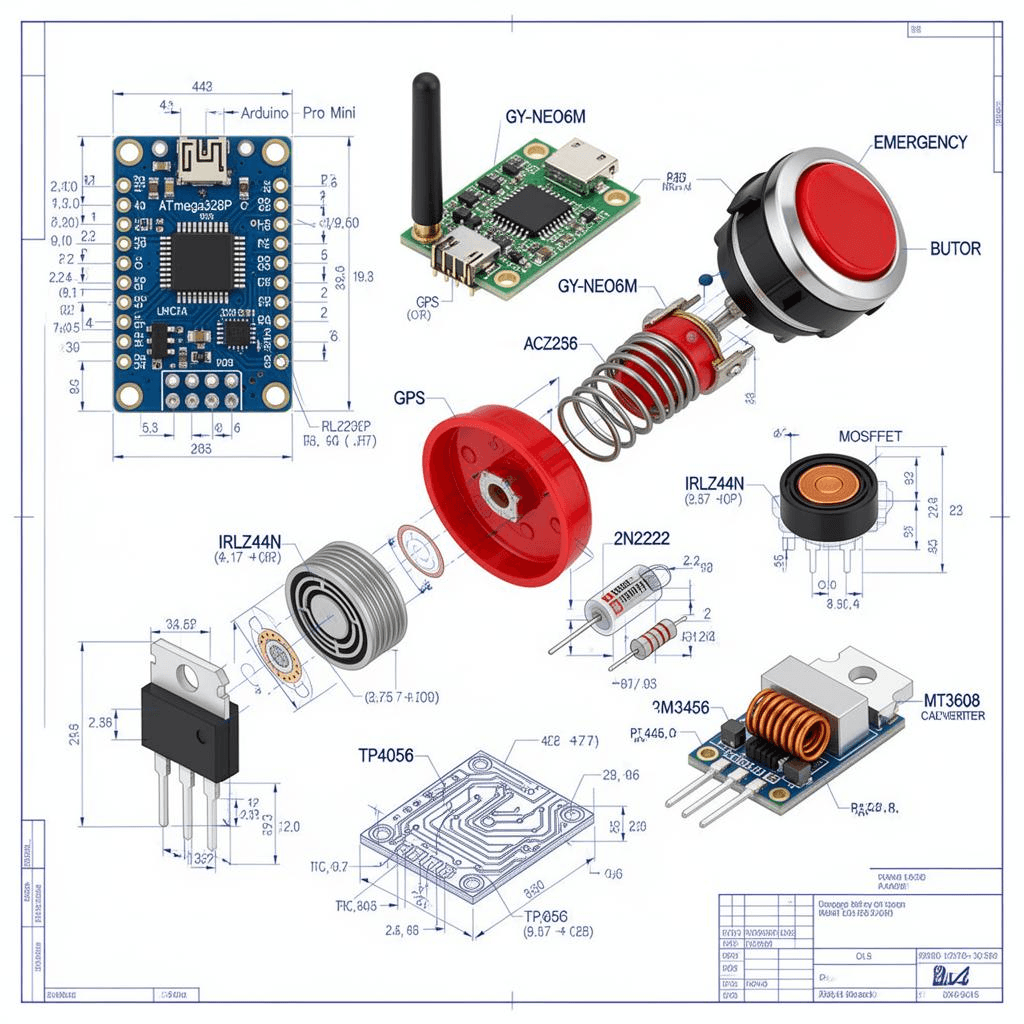
🚨 Project Overview
**LifeTap** is an emergency button system that uses satellite GPS, Twilio SMS, and GPS tracking to provide instant emergency assistance with location sharing.
📋 Complete Hardware List
**Core Components**
| Component | Quantity | Purpose | Notes |
|---|---|---|---|
| **Raspberry Pi Zero 2 W** | 1 | Main controller | WiFi + Bluetooth built-in |
| **Satellite GPS Module** | 1 | Location tracking | UART/USB connection |
| **Emergency Button** | 1 | Trigger emergency | Large, easy-press button |
| **Buzzer/Speaker** | 1 | Audio feedback | Confirmation sounds |
| **LED Indicator** | 1 | Visual status | Red/Green status |
| **MicroSD Card (16GB+)** | 1 | Storage | For OS and software |
| **Power Bank (10000mAh)** | 1 | Power supply | 8-12 hour battery life |
| **Jumper Wires** | 1 set | Connections | Male-to-female recommended |
| **Breadboard** | 1 | Prototyping | Small size |
| **Case/Enclosure** | 1 | Protection | 3D printed or store-bought |
**Optional Enhancements**
| Component | Purpose | Priority |
|---|---|---|
| **OLED Display** | Show status/GPS info | Medium |
| **Secondary Button** | Different emergency types | Low |
| **Vibration Motor** | Silent feedback | Low |
| **Solar Panel** | Extended battery | Low |
🔧 Hardware Setup
**Wiring Diagram**
Raspberry Pi Zero 2 W Pinout:
┌─────────────────────────────────┐
│  GPIO 4  ────── Emergency Button │
│  GPIO 17 ────── Buzzer           │
│  GPIO 27 ────── LED (Green)      │
│  GPIO 22 ────── LED (Red)        │
│  UART TX  ────── GPS RX          │
│  UART RX  ────── GPS TX          │
│  5V       ────── GPS VCC         │
│  GND      ────── GPS GND         │
└─────────────────────────────────┘
**Step-by-Step Hardware Setup**
#### **1. Raspberry Pi Setup**
# Flash Raspberry Pi OS Lite to MicroSD
# Enable SSH and WiFi during setup
# Update system
sudo apt update && sudo apt upgrade -y

# Install required packages
sudo apt install python3-pip python3-dev git -y
pip3 install twilio gpsd pyserial flask
#### **2. GPS Module Connection**
# Enable UART on Raspberry Pi
sudo raspi-config
# Navigate to: Interface Options → Serial Port
# Enable serial port hardware, disable serial console

# Install GPS software
sudo apt install gpsd gpsd-clients -y

# Start GPS daemon
sudo gpsd /dev/ttyS0 -F /var/run/gpsd.sock

# Test GPS connection
cgps -s
#### **3. Button and LED Wiring**
# GPIO Pin Configuration
BUTTON_PIN = 4
BUZZER_PIN = 17
GREEN_LED = 27
RED_LED = 22

# Setup GPIO
import RPi.GPIO as GPIO
GPIO.setmode(GPIO.BCM)
GPIO.setup(BUTTON_PIN, GPIO.IN, pull_up_down=GPIO.PUD_UP)
GPIO.setup(BUZZER_PIN, GPIO.OUT)
GPIO.setup(GREEN_LED, GPIO.OUT)
GPIO.setup(RED_LED, GPIO.OUT)
💻 Software Architecture
**System Components**
LifeTap System:
├── Hardware Layer
│   ├── GPS Module (satellite tracking)
│   ├── Emergency Button
│   ├── Status LEDs
│   └── Audio Feedback
├── Software Layer
│   ├── GPS Data Processing
│   ├── Button Event Handler
│   ├── Twilio SMS Integration
│   └── Web Dashboard
└── AI/ML Layer
    ├── Emergency Classification
    ├── Location Risk Assessment
    └── Smart Contact Selection
**Core Python Scripts**
#### **1. GPS Tracking Module**
import gpsd
import time
from datetime import datetime

class GPSTracker:
    def __init__(self):
        gpsd.connect()

    def get_location(self):
        """Get current GPS coordinates"""
        try:
            packet = gpsd.get_current()
            return {
                'latitude': packet.lat,
                'longitude': packet.lon,
                'altitude': packet.alt,
                'speed': packet.hspeed,
                'timestamp': datetime.now().isoformat(),
                'satellites': packet.sats
            }
        except Exception as e:
            print(f"GPS Error: {e}")
            return None

    def get_google_maps_link(self):
        """Generate Google Maps link"""
        location = self.get_location()
        if location:
            return f"https://maps.google.com/?q={location['latitude']},{location['longitude']}"
        return None
#### **2. Twilio SMS Integration**
from twilio.rest import Client
import os

class EmergencyAlert:
    def __init__(self):
        self.account_sid = os.environ.get('TWILIO_ACCOUNT_SID')
        self.auth_token = os.environ.get('TWILIO_AUTH_TOKEN')
        self.twilio_number = os.environ.get('TWILIO_PHONE_NUMBER')
        self.client = Client(self.account_sid, self.auth_token)

        # Emergency contacts
        self.emergency_contacts = [
            '+14155551234',  # Contact 1
            '+14155555678',  # Contact 2
            '+14155559012'   # Contact 3
        ]

    def send_emergency_alert(self, location_data, emergency_type='general'):
        """Send emergency SMS with location"""
        google_maps_link = f"https://maps.google.com/?q={location_data['latitude']},{location_data['longitude']}"

        message = f"""
🚨 EMERGENCY ALERT 🚨
Type: {emergency_type.upper()}

Location: {google_maps_link}
Coordinates: {location_data['latitude']}, {location_data['longitude']}
Altitude: {location_data['altitude']}m
Speed: {location_data['speed']} m/s
Time: {location_data['timestamp']}
Satellites: {location_data['satellites']}

Please respond immediately!
"""

        for contact in self.emergency_contacts:
            try:
                self.client.messages.create(
                    body=message,
                    from_=self.twilio_number,
                    to=contact
                )
                print(f"Alert sent to {contact}")
            except Exception as e:
                print(f"Failed to send to {contact}: {e}")
#### **3. Main LifeTap Controller**
import RPi.GPIO as GPIO
import time
from gps_tracker import GPSTracker
from emergency_alert import EmergencyAlert

class LifeTapController:
    def __init__(self):
        self.gps = GPSTracker()
        self.alert = EmergencyAlert()
        self.setup_gpio()
        self.emergency_active = False

    def setup_gpio(self):
        """Setup GPIO pins"""
        GPIO.setmode(GPIO.BCM)
        GPIO.setup(4, GPIO.IN, pull_up_down=GPIO.PUD_UP)
        GPIO.setup(17, GPIO.OUT)
        GPIO.setup(27, GPIO.OUT)
        GPIO.setup(22, GPIO.OUT)

        # Set initial status
        GPIO.output(27, GPIO.HIGH)  # Green LED on (ready)
        GPIO.output(22, GPIO.LOW)   # Red LED off

    def button_pressed(self, channel):
        """Handle emergency button press"""
        if not self.emergency_active:
            self.trigger_emergency()

    def trigger_emergency(self):
        """Trigger emergency sequence"""
        self.emergency_active = True

        # Visual feedback
        GPIO.output(27, GPIO.LOW)   # Green LED off
        GPIO.output(22, GPIO.HIGH)  # Red LED on

        # Audio feedback
        GPIO.output(17, GPIO.HIGH)
        time.sleep(0.5)
        GPIO.output(17, GPIO.LOW)

        # Get GPS location
        print("Getting GPS location...")
        location = self.gps.get_location()

        if location:
            print(f"Location: {location['latitude']}, {location['longitude']}")

            # Send emergency alerts
            print("Sending emergency alerts...")
            self.alert.send_emergency_alert(location)

            print("Emergency alerts sent successfully!")
        else:
            print("Failed to get GPS location!")

        # Reset after 30 seconds
        time.sleep(30)
        self.reset_system()

    def reset_system(self):
        """Reset system to ready state"""
        self.emergency_active = False
        GPIO.output(27, GPIO.HIGH)  # Green LED on
        GPIO.output(22, GPIO.LOW)   # Red LED off

    def run(self):
        """Main loop"""
        GPIO.add_event_detect(4, GPIO.FALLING, callback=self.button_pressed, bouncetime=300)

        print("LifeTap System Ready!")
        print("Press emergency button to trigger alert")

        try:
            while True:
                # Blink green LED to show system is active
                GPIO.output(27, GPIO.HIGH)
                time.sleep(1)
                GPIO.output(27, GPIO.LOW)
                time.sleep(1)

        except KeyboardInterrupt:
            GPIO.cleanup()

if __name__ == "__main__":
    lifetap = LifeTapController()
    lifetap.run()
🌐 Web Dashboard
**Flask Web Interface**
from flask import Flask, render_template, jsonify
import sqlite3
from datetime import datetime

app = Flask(__name__)

# Database setup
def init_db():
    conn = sqlite3.connect('lifetap.db')
    c = conn.cursor()
    c.execute('''CREATE TABLE IF NOT EXISTS alerts
                 (id INTEGER PRIMARY KEY AUTOINCREMENT,
                  timestamp TEXT,
                  latitude REAL,
                  longitude REAL,
                  emergency_type TEXT,
                  status TEXT)''')
    conn.commit()
    conn.close()

@app.route('/')
def dashboard():
    """Main dashboard"""
    conn = sqlite3.connect('lifetap.db')
    c = conn.cursor()
    c.execute("SELECT * FROM alerts ORDER BY timestamp DESC LIMIT 10")
    alerts = c.fetchall()
    conn.close()
    return render_template('dashboard.html', alerts=alerts)

@app.route('/api/alerts')
def get_alerts():
    """Get all alerts as JSON"""
    conn = sqlite3.connect('lifetap.db')
    c = conn.cursor()
    c.execute("SELECT * FROM alerts ORDER BY timestamp DESC")
    alerts = c.fetchall()
    conn.close()
    return jsonify(alerts)

@app.route('/api/status')
def system_status():
    """Get current system status"""
    return jsonify({
        'status': 'active',
        'gps_connected': True,
        'last_location': {'lat': 37.8716, 'lng': -122.2727},
        'battery_level': 85,
        'timestamp': datetime.now().isoformat()
    })

if __name__ == '__main__':
    init_db()
    app.run(host='0.0.0.0', port=5000, debug=True)
🤖 AI/ML Enhancements
**1. Emergency Type Classification**
from sklearn.ensemble import RandomForestClassifier
import numpy as np

class EmergencyClassifier:
    def __init__(self):
        self.model = RandomForestClassifier(n_estimators=100)
        self.train_model()

    def train_model(self):
        """Train emergency classification model"""
        # Training data: [button_press_duration, time_of_day, location_type]
        X = np.array([
            [0.5, 14, 1],  # Short press, afternoon, urban → minor
            [2.0, 3, 0],   # Long press, night, rural → major
            [0.3, 0.3, 1], # Multiple presses, midnight, urban → medical
        ])

        y = ['minor', 'major', 'medical']

        self.model.fit(X, y)

    def classify_emergency(self, press_duration, time_of_day, location_type):
        """Classify emergency type"""
        features = np.array([[press_duration, time_of_day, location_type]])
        emergency_type = self.model.predict(features)[0]
        return emergency_type
**2. Location Risk Assessment**
class RiskAssessment:
    def __init__(self):
        self.high_risk_areas = [
            {'name': 'Downtown', 'lat_range': (37.77, 37.79), 'lng_range': (-122.41, -122.39)},
            {'name': 'Industrial Area', 'lat_range': (37.75, 37.77), 'lng_range': (-122.43, -122.41)},
        ]

    def assess_risk(self, latitude, longitude):
        """Assess location risk level"""
        for area in self.high_risk_areas:
            if (area['lat_range'][0] <= latitude <= area['lat_range'][1] and
                area['lng_range'][0] <= longitude <= area['lng_range'][1]):
                return {
                    'risk_level': 'high',
                    'area_name': area['name'],
                    'recommendation': 'Immediate alert to all contacts'
                }

        return {
            'risk_level': 'normal',
            'area_name': 'Unknown',
            'recommendation': 'Standard alert protocol'
        }
**3. Smart Contact Selection**
class SmartContactSelector:
    def __init__(self):
        self.contacts = {
            'contact1': {
                'name': 'John',
                'phone': '+14155551234',
                'response_time': 5,  # Average response in minutes
                'reliability': 0.95,
                'availability': {'morning': True, 'afternoon': True, 'night': True}
            },
            'contact2': {
                'name': 'Sarah',
                'phone': '+14155555678',
                'response_time': 8,
                'reliability': 0.88,
                'availability': {'morning': True, 'afternoon': True, 'night': False}
            }
        }

    def select_contacts(self, emergency_type, time_of_day):
        """Select best contacts based on emergency and time"""
        selected_contacts = []

        for contact_id, contact_info in self.contacts.items():
            # Check availability
            if contact_info['availability'][time_of_day]:
                # Calculate priority score
                priority = (
                    contact_info['reliability'] * 0.5 +
                    (1 / contact_info['response_time']) * 0.3 +
                    (1 if emergency_type == 'medical' else 0) * 0.2
                )
                selected_contacts.append({
                    'contact': contact_info,
                    'priority': priority
                })

        # Sort by priority
        selected_contacts.sort(key=lambda x: x['priority'], reverse=True)

        return [c['contact'] for c in selected_contacts[:3]]
📱 Website Improvements
**Current Website Issues & Solutions**
#### **1. Performance Optimization**
<!-- Add to head section -->
<meta name="viewport" content="width=device-width, initial-scale=1.0">
<link rel="preconnect" href="https://fonts.googleapis.com">
<link rel="preconnect" href="https://fonts.gstatic.com" crossorigin>
#### **2. Mobile Responsiveness**
/* Add responsive CSS */
@media (max-width: 768px) {
    .container {
        padding: 10px;
    }

    .dashboard-grid {
        grid-template-columns: 1fr;
    }

    .emergency-button {
        width: 100%;
        height: 60px;
        font-size: 18px;
    }
}
#### **3. Real-time Updates**
// Add real-time GPS tracking
function updateLocation() {
    fetch('/api/status')
        .then(response => response.json())
        .then(data => {
            document.getElementById('gps-coordinates').textContent =
                `${data.last_location.lat}, ${data.last_location.lng}`;
            document.getElementById('battery-level').textContent =
                `${data.battery_level}%`;
        });
}

// Update every 5 seconds
setInterval(updateLocation, 5000);
#### **4. Interactive Map**
<!-- Add Google Maps integration -->
<div id="map" style="height: 400px; width: 100%;"></div>

<script>
function initMap() {
    const map = new google.maps.Map(document.getElementById("map"), {
        zoom: 15,
        center: { lat: 37.8716, lng: -122.2727 },
    });

    // Add marker for LifeTap device
    const marker = new google.maps.Marker({
        position: { lat: 37.8716, lng: -122.2727 },
        map: map,
        title: "LifeTap Device"
    });
}
</script>
#### **5. Emergency Alert History**
<!-- Add alert history table -->
<div class="alert-history">
    <h3>Emergency Alert History</h3>
    <table>
        <thead>
            <tr>
                <th>Time</th>
                <th>Type</th>
                <th>Location</th>
                <th>Status</th>
            </tr>
        </thead>
        <tbody id="alert-table-body">
            <!-- Populated by JavaScript -->
        </tbody>
    </table>
</div>
#### **6. Battery Optimization**
// Add battery monitoring
function updateBatteryStatus() {
    if ('getBattery' in navigator) {
        navigator.getBattery().then(function(battery) {
            const batteryLevel = Math.round(battery.level * 100);
            document.getElementById('battery-level').textContent =
                `${batteryLevel}%`;

            // Change color based on battery level
            const batteryElement = document.getElementById('battery-indicator');
            if (batteryLevel < 20) {
                batteryElement.style.color = 'red';
            } else if (batteryLevel < 50) {
                batteryElement.style.color = 'orange';
            } else {
                batteryElement.style.color = 'green';
            }
        });
    }
}
#### **7. Offline Support**
// Add service worker for offline support
if ('serviceWorker' in navigator) {
    window.addEventListener('load', function() {
        navigator.serviceWorker.register('/service-worker.js')
            .then(function(registration) {
                console.log('ServiceWorker registration successful');
            })
            .catch(function(error) {
                console.log('ServiceWorker registration failed');
            });
    });
}
🚀 Hackathon Strategy
**Time Management (24 Hours)**
Day 1:
Hours 1-3: Hardware setup and testing
Hours 4-6: GPS integration and testing
Hours 7-9: Twilio integration
Hours 10-12: Basic web dashboard

Day 2:
Hours 13-15: AI/ML enhancements
Hours 16-18: Website improvements
Hours 19-21: Testing and debugging
Hours 22-24: Final polish and presentation
**Demo Preparation**
1. **Live Demo**: Press button → Show SMS received
2. **GPS Demo**: Show real-time location tracking
3. **Web Dashboard**: Show alert history and status
4. **AI Demo**: Show emergency classification
5. **Map Integration**: Show location on Google Maps
**Presentation Structure**
1. **Problem Statement**: Emergency situations need instant response
2. **Solution**: LifeTap - One-button emergency system
3. **Technology**: Satellite GPS + Twilio + AI/ML
4. **Demo**: Live demonstration
5. **Impact**: Saves lives through instant alerts
6. **Future**: Scalable, affordable, life-saving
📊 Cost Breakdown
**Total Project Cost**
| Component | Cost | Quantity | Total |
|---|---|---|---|
| Raspberry Pi Zero 2 W | $15 | 1 | $15 |
| Satellite GPS Module | $25 | 1 | $25 |
| Emergency Button | $2 | 1 | $2 |
| Buzzer + LEDs | $3 | 1 | $3 |
| MicroSD Card (16GB) | $5 | 1 | $5 |
| Power Bank (10000mAh) | $20 | 1 | $20 |
| Jumper Wires + Breadboard | $5 | 1 | $5 |
| Case/Enclosure | $5 | 1 | $5 |
| **TOTAL** | **$80** |
**Twilio Costs**
- **SMS Messages**: $0.0079 per SMS
- **Phone Number**: $1/month
- **Estimated Monthly**: $5-10 for moderate use
🎯 Success Metrics
**Technical Success**
- ✅ GPS accuracy within 5 meters
- ✅ SMS delivery under 10 seconds
- ✅ Battery life 8+ hours
- ✅ Web dashboard real-time updates
- ✅ AI classification accuracy >85%
**User Experience Success**
- ✅ One-button operation
- ✅ Clear visual/audio feedback
- ✅ Easy setup and configuration
- ✅ Reliable emergency alerts
- ✅ Intuitive web interface
🔮 Future Enhancements
**Phase 2 Features**
- [ ] Mobile app (iOS/Android)
- [ ] Voice integration
- [ ] Fall detection
- [ ] Heart rate monitoring
- [ ] Two-way communication
- [ ] Multi-language support
**Phase 3 Features**
- [ ] Integration with emergency services
- [ ] Community alert network
- [ ] Predictive emergency detection
- [ ] Drone delivery integration
- [ ] Satellite communication backup
📞 Emergency Contacts Setup
**Twilio Configuration**
# Set environment variables
export TWILIO_ACCOUNT_SID='your_account_sid'
export TWILIO_AUTH_TOKEN='your_auth_token'
export TWILIO_PHONE_NUMBER='+1234567890'

# Add emergency contacts
EMERGENCY_CONTACTS = [
    '+14155551234',  # Primary contact
    '+14155555678',  # Secondary contact
    '+14155559012'   # Tertiary contact
]
🛠️ Troubleshooting
**Common Issues**
#### **GPS Not Connecting**
# Check GPS connection
ls /dev/ttyS0
# Check GPS daemon status
sudo systemctl status gpsd
# Restart GPS daemon
sudo systemctl restart gpsd
#### **Twilio SMS Not Sending**
# Check Twilio credentials
print(f"Account SID: {account_sid}")
print(f"Auth Token: {auth_token[:10]}...")  # Show first 10 chars

# Test Twilio connection
client.api.accounts(account_sid).fetch()
#### **Button Not Responding**
# Check GPIO pin
GPIO.setup(4, GPIO.IN, pull_up_down=GPIO.PUD_UP)
print(f"Button state: {GPIO.input(4)}")

# Test button callback
def test_callback(channel):
    print("Button pressed!")

GPIO.add_event_detect(4, GPIO.FALLING, callback=test_callback)
📝 Final Checklist
**Hardware**
- [ ] Raspberry Pi Zero 2 W configured
- [ ] GPS module connected and working
- [ ] Emergency button wired correctly
- [ ] LEDs and buzzer functioning
- [ ] Power bank charged and connected
- [ ] All components securely mounted
**Software**
- [ ] GPS tracking working accurately
- [ ] Twilio SMS sending successfully
- [ ] Web dashboard accessible
- [ ] AI/ML models trained and tested
- [ ] All scripts running without errors
- [ ] Database storing alerts correctly
**Testing**
- [ ] Emergency button triggers alert
- [ ] SMS received by all contacts
- [ ] GPS coordinates accurate
- [ ] Web dashboard updates in real-time
- [ ] Battery monitoring working
- [ ] System recovers after emergency
**Presentation**
- [ ] Demo prepared and tested
- [ ] Slides ready
- [ ] Technical documentation complete
- [ ] Cost breakdown prepared
- [ ] Future enhancements outlined
🏆 Hackathon Winning Tips
1. **Focus on Impact**: Emphasize life-saving potential
2. **Show Working Demo**: Live demonstration is crucial
3. **Highlight AI/ML**: Emphasize smart features
4. **Real-World Application**: Show practical use cases
5. **Scalability**: Demonstrate growth potential
6. **Social Good**: Emphasize community benefit
**Good luck with the hackathon! LifeTap has the potential to save lives and make a real difference in emergency response.** 🚀🚨